Café QR

Café QR features · Website

A free website for your café, with your menu, hours and map

Every venue on Café QR has its own web address, such as yourcafe.cafeqr.app. Switch on the full website and that address becomes a proper café website: your menu straight from the till with today's prices, your opening hours with an Open now line, a map, your photos and your story, with buttons to order, book a table or buy a gift card. There is nothing to build and nothing extra to pay.

No cardNo contractHelp on WhatsAppCancel any time

or try the live demo →or book a 15-minute walkthrough →

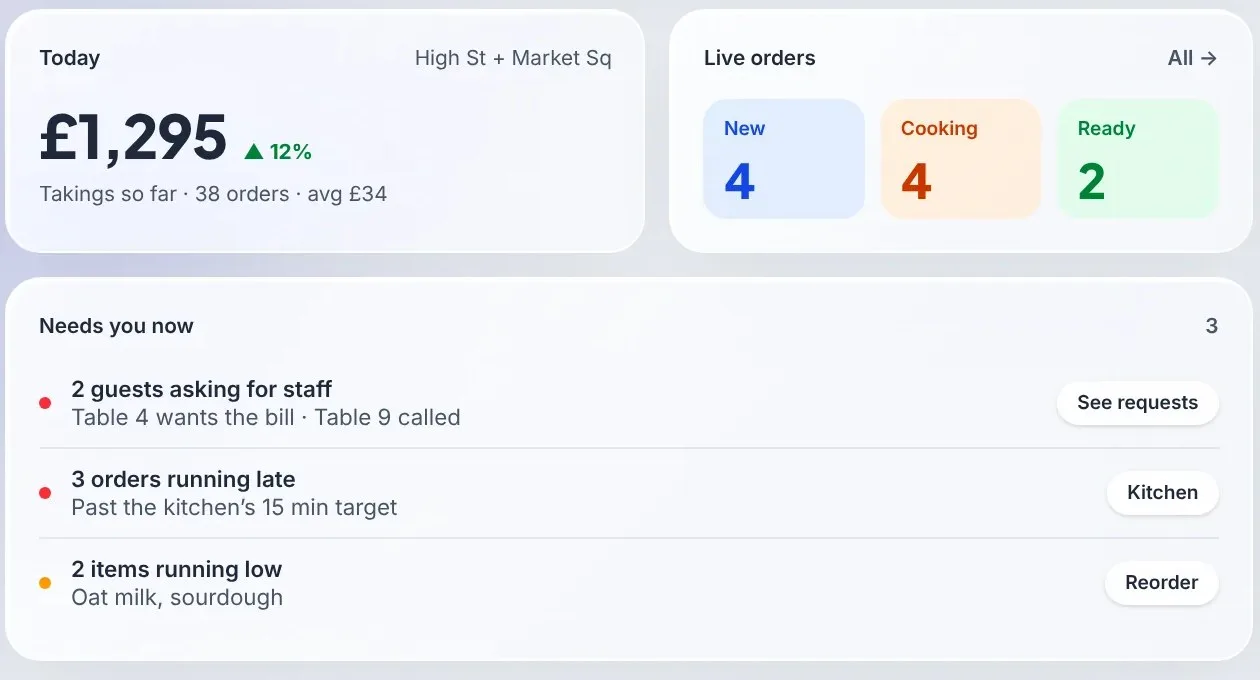
The owner's dashboard: takings, live orders and what needs you
  • Your address

    yourcafe.cafeqr.app

  • Menu

    Live from your till, with today's prices

  • Price

    Free on every plan

01

A website that keeps itself up to date
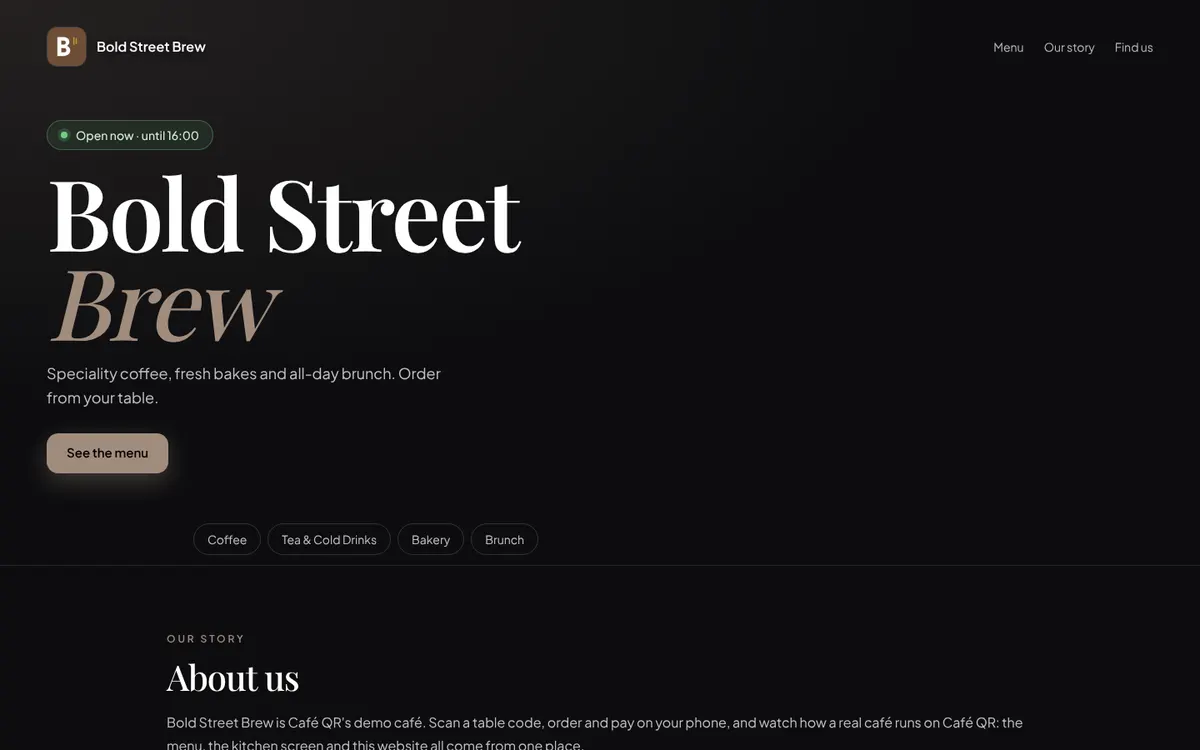
The website of Bold Street Brew, Café QR's demo café: its logo and name, an Open now until 16:00 line, a tagline about speciality coffee and brunch, a See the menu button and menu category chips

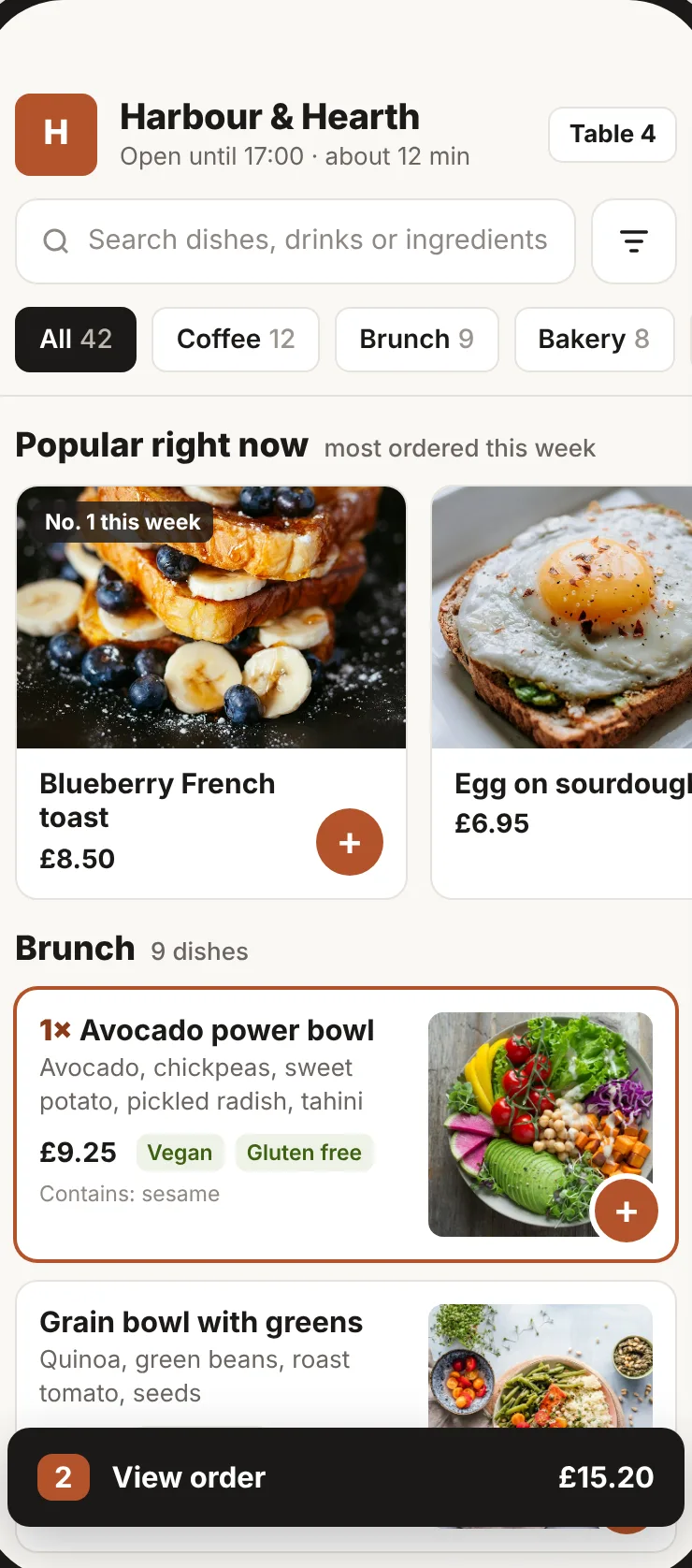
The menu on your website is the menu your till and QR codes use, so a price change, a new special or a dish marked sold out shows there at once. You never update the website and the menu separately, and guests never see last year's prices.

The top of the page carries your logo, name, a line about you and what you serve, with Order now and, if you take bookings, Book a table. Your opening hours show an Open now or Closed now line worked out on your café's own clock.

  • Your live menu, with photos, prices, dietary tags and allergens
  • Opening hours, with Open now or Closed now
  • Order now, Book a table, What's on and gift card buttons
  • Your logo, a tagline and what you serve
02

Choose what it shows

Set it up in Settings > Website. Write a line under your name and your story, add up to 8 photos of your own (your menu photos fill the rest of the gallery), add your Instagram, TikTok and Facebook pages, and a WhatsApp number so guests can message you.

Then pick the sections to show: About us, Gallery, What guests say, Plan your visit and Find us, with your address on a map. Hide any section you don't want. If you switch the website off, the address goes back to a plain page with your name, menu and order button.

  • About us, Gallery, What guests say, Plan your visit and Find us
  • Up to 8 of your own photos, plus your menu photos
  • Socials and a WhatsApp button
  • Each section on or off, and the whole site on or off
03

Ratings and your hygiene score

What guests say shows the average star rating guests gave after ordering, once at least five guests have rated you, so a single bad night can't sink the page. UK venues that link their Food Standards Agency record show their food hygiene rating and when it was given, with a link to the official record.

04

Set up for Google and AI search

Each café website tells search engines what it is in the format Google reads: a café or restaurant with its address, opening hours, menu, map position, socials and a way to order. Common questions such as opening times and whether you take bookings are answered on the page and marked up for search, which also helps AI assistants that answer "where can I get brunch near me".

Share the address on your Google Business Profile, Instagram bio and printed menus, so every link points to the same live menu. To see one working, open bold-street-brew.cafeqr.app, the website of our demo café.

05

Plans and honest limits

The café website is free on every plan, from Order & Pay at £9.99 a month, including the free month. It is off until you switch it on in Settings > Website. Online collection and delivery orders need Order & Pay Plus at £24.99, bookings need the POS plan or the £4 Table bookings add-on, and gift cards need the POS plan or the Promotions add-on.

The website lives at your Café QR address, such as yourcafe.cafeqr.app. Your own domain name can't point to it yet, but you can link to it from any site you already have, or put your live menu on that site with a piece of code. There is one layout in your café's colours, rather than themes to choose from.

Questions

Straight answers, before you start.

Does a Café QR café get its own website?

Yes. Every venue has its own address, such as yourcafe.cafeqr.app. Switch on the full website in Settings > Website and it shows your live menu, opening hours, a map, photos, your story and buttons to order, book or buy a gift card.

Does the café website cost extra?

No. It is free on every plan, from £9.99 a month, including the free month.

Do I have to update my menu on the website?

No. The website shows the same menu as your till and QR codes, so prices, specials and sold-out dishes change there at once.

Can I use my own domain name?

Not yet. The website lives at your Café QR address. You can link to it from your own domain or Google profile, or put your live menu on your existing website with a piece of code from the dashboard.

Can I hide parts of the website?

Yes. Each section (About us, Gallery, What guests say, Plan your visit and Find us) can be shown or hidden, and switching the website off goes back to a plain page with your name, menu and order button.

One-month free trial

Run your venue on Café QR.

From £9.99 per venue, per month after the free month, which needs no card. No setup fee, and 0% platform fee. Rather someone showed you round? Book a free 15-minute walkthrough here. It’s an enquiry only: no card, no subscription and no trial started.

An enquiry only. No card or subscription required

We use these details to respond to your enquiry. Read our privacy notice.

Optional analytics and ad cookies. Privacy