✦ Founding venues: 3 months free and your price locked for 2 years →

Book a demo+44 7440 189478WhatsApp us

Café QRPOS for independent venues
Products ▾
  • EPOS till systemCounter till, cash, card readers, refunds
  • Kitchen display systemScreens by station, timers, printed tickets
  • Self-order kioskGuests order on a counter tablet
  • Floor plan and tabsWaiter app, live tables, split bills
  • Table bookingsYour own booking page and diary
  • Stock and recipesStock off every sale, dish margins
  • Cash-up and reportsFloat, drawer count, rota, takings
  • Food safety and HACCPChecklists, temperature logs, SFBB diary
Flat whiteCappuccinoBanana breadIced latteSaleFlat white£3.40Cappuccino£3.50Banana bread£2.90Total£9.80Card£9.80)))Tap to pay✓ Sent to the kitchenThe café POSRing up a sale, take payment, send it to the kitchen display.
All features ›EPOS system ›Integrations ›How it works ›Live demo ›Help centre ›Data and security ›
Solutions ▾
  • Café POS and tillA fast counter till and regulars who return
  • Restaurant POS and managementTables, tabs, bookings and kitchen stations
  • Pub and bar POSA bar till, open tabs and table ordering
  • Takeaway POSCounter till, queue ordering, online orders
  • Food truck POSA till on your phone and a queue that moves
  • Event POSPop-ups, markets and festivals
  • Groups and multi-siteOne account across every venue
Guest menu on a phoneKitchen screen with live ordersFrom the table to the kitchenEvery channel lands in one live order queue.
Compare ▾
  • Compare UK POS systemsPrices and features side by side
  • Square POS alternativeCafé QR compared with Square
  • Lightspeed alternativeCafé QR compared with Lightspeed
  • Epos Now alternativeCafé QR compared with Epos Now
  • SumUp POS alternativeCafé QR compared with SumUp
  • Toast POS alternativeCafé QR compared with Toast
Live demoPricingIntegrationsBlog
Sign inBook a demoStart free trial →
Start free trial
Live demoPricingIntegrationsBlog
Products ▾
Run the venue08 +−
  • EPOS till system
  • Kitchen display system
  • Self-order kiosk
  • Floor plan and tabs
  • Table bookings
  • Stock and recipes
  • Cash-up and reports
  • Food safety and HACCP
Take orders05 +−
  • QR table ordering
  • Order and pay at table
  • Online ordering
  • Delivery manager
  • Delivery app orders
Grow06 +−
  • CRM and loyalty
  • Promotions
  • Insights and assistant
  • Profit per dish
  • Multiple locations
  • Integrations
All features ›EPOS system ›Integrations ›How it works ›Live demo ›Help centre ›Data and security ›
Solutions ▾
  • Café POS and tillA fast counter till and regulars who return
  • Restaurant POS and managementTables, tabs, bookings and kitchen stations
  • Pub and bar POSA bar till, open tabs and table ordering
  • Takeaway POSCounter till, queue ordering, online orders
  • Food truck POSA till on your phone and a queue that moves
  • Event POSPop-ups, markets and festivals
  • Groups and multi-siteOne account across every venue
Compare ▾
  • Compare UK POS systemsPrices and features side by side
  • Square POS alternativeCafé QR compared with Square
  • Lightspeed alternativeCafé QR compared with Lightspeed
  • Epos Now alternativeCafé QR compared with Epos Now
  • SumUp POS alternativeCafé QR compared with SumUp
  • Toast POS alternativeCafé QR compared with Toast
Book a demoSign inCall +44 7440 189478WhatsApp usStart free trial →
Home/Features/EPOS till system and waiter app

Café QR features · Till

An EPOS till system and waiter app on the devices you already have

The Café QR till is a touch-screen EPOS till system for cafés, restaurants and bars that opens in the browser of a tablet, phone or laptop. Staff ring up counter sales from your own menu, take payment and print a receipt, and every sale goes to the same kitchen screen and printers as your QR orders. The waiter app is the same till on a phone, for taking orders at the table.

Start free trial →Try live demoBook a demo

One month free, no card needed. No contract.

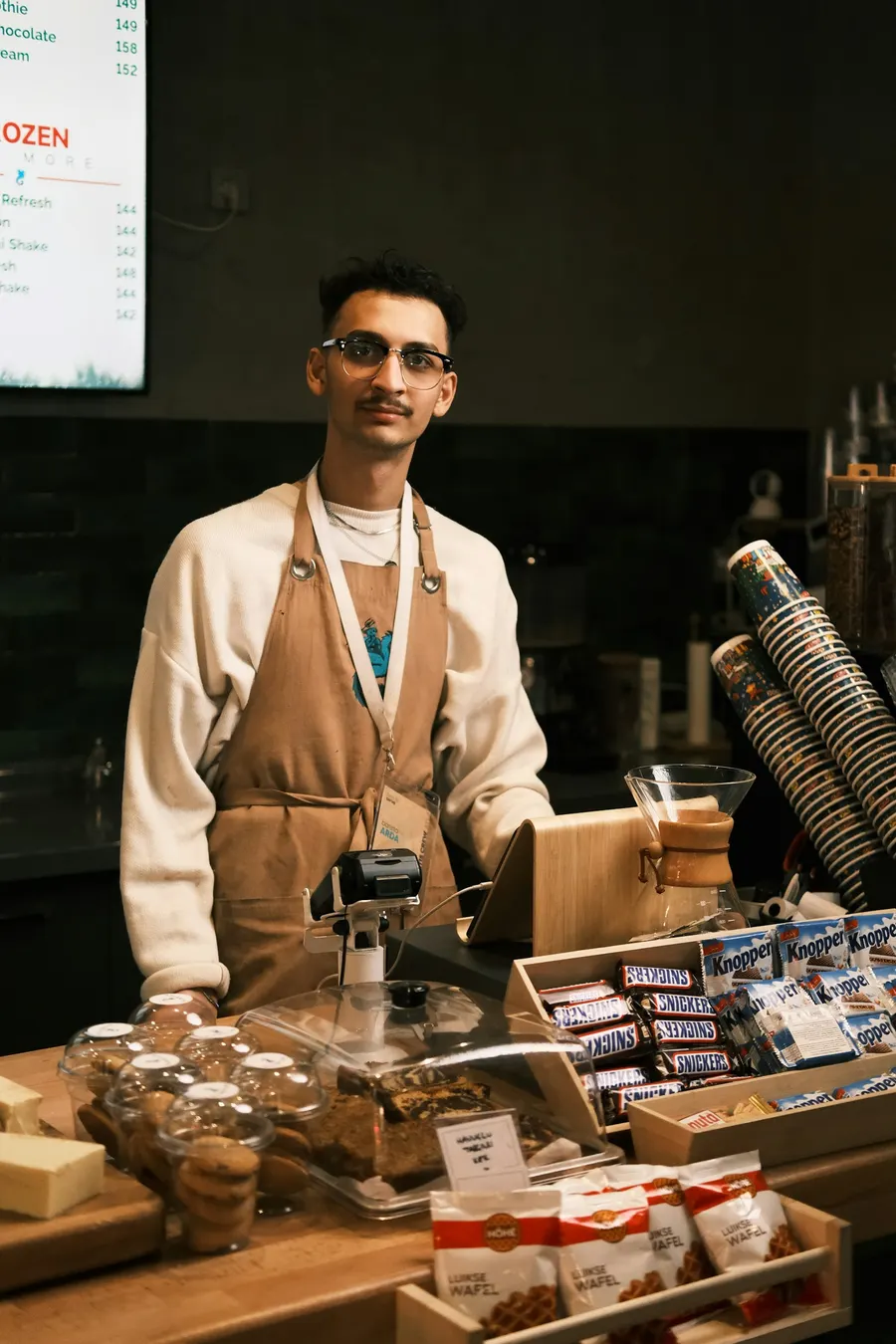
A café worker stands behind a counter of cakes and snacksCounter till
  • Runs on

    Tablet, phone or laptop

  • Sends sales to

    Kitchen screen and printers

  • Included in

    POS plan, £39 per venue a month

Everything included

The till, and everything around it.

  1. 01Fast counter tillRing up sales, take cash or card, refund and discount with a manager PIN.
  2. 02Waiter app, tables and tabsA live floor plan, table status, courses and seats, and tabs open all night.
  3. 03Bill splittingSplit a table's bill equally, or by what each person ordered.
  4. 04QR order and pay at tableGuests order and pay from their phone, with 0% commission from Café QR.
  5. 05Kitchen display screensOrders by station with timers, or printed tickets if the kitchen wants paper.
  6. 06Eat-in and takeaway VATEach item's eat-in and takeaway rate is applied for you at the till.
  7. 07Happy hours, meal deals and gift cardsAutomatic deals, buy-one-get-one, promo codes and gift cards.
  8. 08Table bookings with depositsYour own booking page and diary, with card deposits for larger parties.
  9. 09Allergens and Natasha's LawThe 14 allergens on every dish, shown to guests and in your allergen matrix.
  10. 10Stock and recipesAdd-onStock counts down with every sale, with low-stock alerts and dish margins.
  11. 11Cash-up, reports and audit trailFloat, drawer count, takings and a record of every void, discount and refund.
  12. 12Keeps selling offlineIf the internet drops, the till keeps taking cash and syncs when it's back.
01

Ring up a sale

The till shows your menu as large buttons, grouped by category, with a search box. Tap an item, pick its options (oat milk, a large cup, a double measure), and it joins the current sale. Add a table, a name or a note for the kitchen if you need to.

Take payment and the sale is sent to the kitchen screen and any kitchen printers straight away, exactly as a guest's QR order would be. Prices are always read from your menu on the server, so a stale screen can't undercharge.

  • ✓Cash with quick amounts and the change to hand back
  • ✓Card on your own card machine, recorded on the till, or on a Stripe Terminal reader in the UK
  • ✓Split a bill into parts that add up to the total
  • ✓Pay later: the sale stays open on the table's tab
  • ✓Tips at the point of payment, if your venue takes them
  • ✓A receipt to print or show after the sale
02

The waiter app: the till on a phone

Floor staff open the waiter app on their own phone, pick a table, add items and tap Send to kitchen. The order goes to the kitchen screen at once and stays on the table's tab, to be settled later from Open tabs or the till.

That saves the walk back to the counter between taking an order and the kitchen seeing it, which is where table-service venues lose most time in a rush.

  • How tabs, the floor plan and split bills work →
03

Discounts, refunds and who may do what

Each staff member has a role: Kitchen, Floor, Manager or Owner. The owner decides, per role, whether staff may give a discount, comp an item, cancel an unpaid order, refund, or record cash paid in or out: allowed, needs a manager's PIN, or not allowed.

A manager can refund a paid order in full or in part, with a reason. Every refund comes off your reports and takings, and refunds are recorded in the activity log on the Multi-site plan.

Once an order has gone to the kitchen, staff can void a whole item or part of a line, always with a reason. A waiter needs a manager's PIN to do it. The kitchen screen strikes the line through, ingredients go back into stock if the dish was never made, and the Leakage report shows every void by reason.

04

Phone and delivery orders

Take a phone order at the till as eat in, takeaway or delivery. For delivery, type the customer's phone number and their saved address comes up, the delivery zone's fee is added to the bill, and you pick one of your own riders. A cash-on-delivery order is left for the rider to collect.

05

A screen for the customer

Open the customer display on a second screen next to the till and it mirrors the sale as you ring it up, shows the change due and says thank you at the end. It runs in the same browser as the till, so there is nothing to pair.

06

If the internet drops

Once the till has been opened on a device with a connection, it opens and keeps selling on that device when the internet drops. Offline it takes cash and your own payment types. Card payments, tabs, gift cards and anything that needs a manager's PIN wait for the connection, and a discount needs a manager signed in on the till.

Each offline sale gets a provisional OFFLINE receipt number and is kept on the device, then uploads when the connection returns. It leaves the device only once the server confirms it, and anything odd, such as a price change, a sold-out item or a wrong clock, is flagged for a manager. Offline sales do not send a kitchen ticket, and QR, online and kiosk ordering need a connection.

07

Plans and honest limits

The till, cash-up, time clock and kitchen stations are in the POS plan at £39 per venue a month, or the "Till and cash-up" add-on at £15 a month on Order & Pay. The waiter app comes with tabs and the floor plan, in the POS plan or as a £8 add-on that needs the till. The free first month includes the POS plan, so you can try the till before you pay.

Card readers are linked only in the UK, through Stripe Terminal; elsewhere, take card on your own machine and record it on the till. A USB receipt printer and a cash drawer plugged into it work from Chrome or Edge on a computer, not from an iPad. The till runs in a web browser: through an outage it takes only cash and your own payment types, so plan for a dependable internet connection at the counter.

Questions

Straight answers, before you start.

Visit the help centre →Ask us on WhatsApp
What hardware do I need for the Café QR till?+

A tablet, phone or laptop with a modern web browser. You can add a receipt or kitchen printer (Star CloudPRNT or Epson network models) and, in the UK, a Stripe Terminal card reader, but none of them is required to start.

Is the till an EPOS system or a QR ordering add-on?+

It is a full staff EPOS: counter sales, cash and card, split bills, discounts, refunds, tabs and cash-up. QR table ordering is a separate ordering channel that feeds the same kitchen screen and reports.

Can I use my existing card machine?+

Yes. Take the card payment on your machine as usual and record it on the till as card, so it is counted in your takings. In the UK you can instead link a Stripe Terminal reader so the till sends it the amount.

Does the till work offline?+

Yes, for cash and your own payment types, once the till has been opened on that device with a connection. Offline sales get a provisional receipt number and upload when the internet is back. Card payments, tabs and manager PIN approvals wait for the connection, offline sales do not send a kitchen ticket, and QR and online ordering need a connection.

Which plan includes the till?+

The POS plan, at £39 per venue a month, and Multi-site. On Order & Pay you can add the till on its own for £15 a month. The first month is free and needs no card.

Keep exploring

Related pages. Owners read these next.

  • Floor plan and tabs→The floor plan and open tabs: a live map of your tables, orders kept on each table's tab, moving tabs between tables, and splitting the bill at the end.
  • Kitchen display system→The kitchen screen (KDS): every till, waiter, QR, kiosk and online order on one live board, with kitchen stations, late-order timers, recall and kitchen printers.
  • Cash-up and reports→Cash-up, the staff rota and time clock with a tip pool, sales and takings reports for any date range, Insights and the Xero, QuickBooks or Sage sync.
  • Café POS and till system→A café EPOS and till system for £39 a month: counter till, kitchen screen, tabs and QR ordering for your coffee shop POS. No contract; runs on your own tablet.
  • Pub and bar POS→Pub and bar EPOS: a fast bar till with card readers, tabs open all night, bar and kitchen screens, happy hours and cash-up, with QR ordering. £39/month.
  • Pricing→POS system pricing per venue a month: full POS £39, multi-site from £59, or ordering only from £9.99 (£14.99 with delivery). 0% commission, first month free.

One-month free trial

Run your venue on Café QR.

From £9.99 per venue, per month after the free month, which needs no card. No setup fee, and 0% platform fee. Rather someone showed you round? Book a free 15-minute walkthrough here. It’s an enquiry only: no card, no subscription and no trial started.

WhatsApp us

An enquiry only. No card or subscription required

We use these details to respond to your enquiry. Read our privacy notice.

Five systems. One till.

The POS for independent cafés, restaurants, bars and pubs.

Start free trial →WhatsApp us
Café QR

contact@cafeqr.appWhatsApp +44 7440 189478Reviews on G2

Product+
  • All features
  • Integrations
  • EPOS till system
  • Kitchen display system
  • Self-order kiosk
  • Floor plan and tabs
  • Table bookings
  • Stock and recipes
  • Cash-up and reports
  • Food safety and HACCP
  • EPOS system
  • Cheap EPOS system
  • Card machines for small business

Ordering

  • QR table ordering
  • Order and pay at table
  • Online ordering
  • Delivery app orders
  • CRM and loyalty
  • Profit per dish
  • QR code menu
Solutions+
  • Café POS and till
  • Restaurant POS and management
  • Pub and bar POS
  • Takeaway POS
  • Food truck POS
  • Event POS
Compare+
  • Compare UK POS systems
  • Square POS alternative
  • Lightspeed alternative
  • Epos Now alternative
  • SumUp POS alternative
  • Toast POS alternative

QR ordering

  • SumUp Order & Pay alternative
  • Square QR ordering alternative
  • Sunday alternative
  • Storekit alternative
  • Yoello alternative
  • Scantorder alternative
  • Flipdish alternative
Company+
  • About
  • Contact
  • Careers
  • Founding venue offer
  • Refer a venue
  • Partners
  • Staff sign in

Resources

  • Pricing
  • Live demo
  • How it works
  • Help centre
  • Blog
  • QR poster maker
  • Where to put your QR codes
  • Data and security

POS by location

LiverpoolManchesterChesterLondonLeedsCardiffEdinburghUnited StatesCanadaAustraliaNew ZealandIrelandPakistan

© 2026 Café QR. All rights reserved.

DATA VALUT AI LTD, registered in England & Wales · Company No. 16841685

Based in the United Kingdom.

PrivacyTerms

Start free trial →Live demo