✦ Founding venues: 3 months free and your price locked for 2 years →

Book a demo+44 7440 189478WhatsApp us

Café QRPOS for independent venues
Products ▾
  • EPOS till systemCounter till, cash, card readers, refunds
  • Kitchen display systemScreens by station, timers, printed tickets
  • Self-order kioskGuests order on a counter tablet
  • Floor plan and tabsWaiter app, live tables, split bills
  • Table bookingsYour own booking page and diary
  • Stock and recipesStock off every sale, dish margins
  • Cash-up and reportsFloat, drawer count, rota, takings
  • Food safety and HACCPChecklists, temperature logs, SFBB diary
Flat whiteCappuccinoBanana breadIced latteSaleFlat white£3.40Cappuccino£3.50Banana bread£2.90Total£9.80Card£9.80)))Tap to pay✓ Sent to the kitchenThe café POSRing up a sale, take payment, send it to the kitchen display.
All features ›EPOS system ›Integrations ›How it works ›Live demo ›Help centre ›Data and security ›
Solutions ▾
  • Café POS and tillA fast counter till and regulars who return
  • Restaurant POS and managementTables, tabs, bookings and kitchen stations
  • Pub and bar POSA bar till, open tabs and table ordering
  • Takeaway POSCounter till, queue ordering, online orders
  • Food truck POSA till on your phone and a queue that moves
  • Event POSPop-ups, markets and festivals
  • Groups and multi-siteOne account across every venue
Guest menu on a phoneKitchen screen with live ordersFrom the table to the kitchenEvery channel lands in one live order queue.
Compare ▾
  • Compare UK POS systemsPrices and features side by side
  • Square POS alternativeCafé QR compared with Square
  • Lightspeed alternativeCafé QR compared with Lightspeed
  • Epos Now alternativeCafé QR compared with Epos Now
  • SumUp POS alternativeCafé QR compared with SumUp
  • Toast POS alternativeCafé QR compared with Toast
Live demoPricingIntegrationsBlog
Sign inBook a demoStart free trial →
Start free trial
Live demoPricingIntegrationsBlog
Products ▾
Run the venue08 +−
  • EPOS till system
  • Kitchen display system
  • Self-order kiosk
  • Floor plan and tabs
  • Table bookings
  • Stock and recipes
  • Cash-up and reports
  • Food safety and HACCP
Take orders05 +−
  • QR table ordering
  • Order and pay at table
  • Online ordering
  • Delivery manager
  • Delivery app orders
Grow06 +−
  • CRM and loyalty
  • Promotions
  • Insights and assistant
  • Profit per dish
  • Multiple locations
  • Integrations
All features ›EPOS system ›Integrations ›How it works ›Live demo ›Help centre ›Data and security ›
Solutions ▾
  • Café POS and tillA fast counter till and regulars who return
  • Restaurant POS and managementTables, tabs, bookings and kitchen stations
  • Pub and bar POSA bar till, open tabs and table ordering
  • Takeaway POSCounter till, queue ordering, online orders
  • Food truck POSA till on your phone and a queue that moves
  • Event POSPop-ups, markets and festivals
  • Groups and multi-siteOne account across every venue
Compare ▾
  • Compare UK POS systemsPrices and features side by side
  • Square POS alternativeCafé QR compared with Square
  • Lightspeed alternativeCafé QR compared with Lightspeed
  • Epos Now alternativeCafé QR compared with Epos Now
  • SumUp POS alternativeCafé QR compared with SumUp
  • Toast POS alternativeCafé QR compared with Toast
Book a demoSign inCall +44 7440 189478WhatsApp usStart free trial →
Home/Event POS

POS for events, pop-ups, markets and festivals

An event POS system for pop-ups, markets and festivals

Run the bar or the hatch from a till on a tablet or phone: tap the items, take cash with the change worked out, or card on a reader or your own machine, and the order goes straight to the kitchen screen. Put QR codes on tables and at the hatch too, and guests order and pay on their own phone while they wait. Monthly, with no contract and no hardware to hire.

Start free trial →Try live demoBook a demo

One month free, no card needed. No contract.

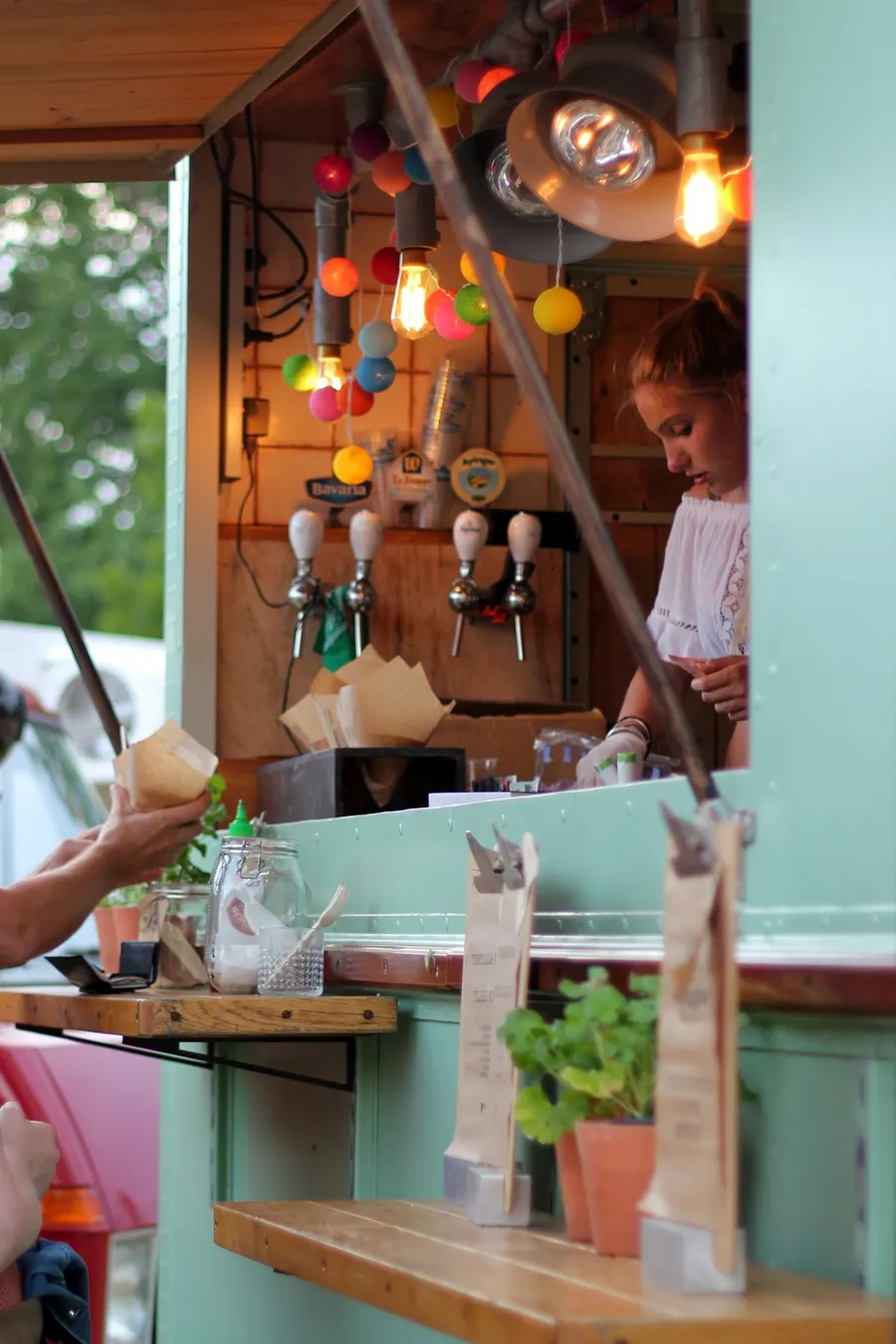
A food truck server hands an order through the hatchEvent POS
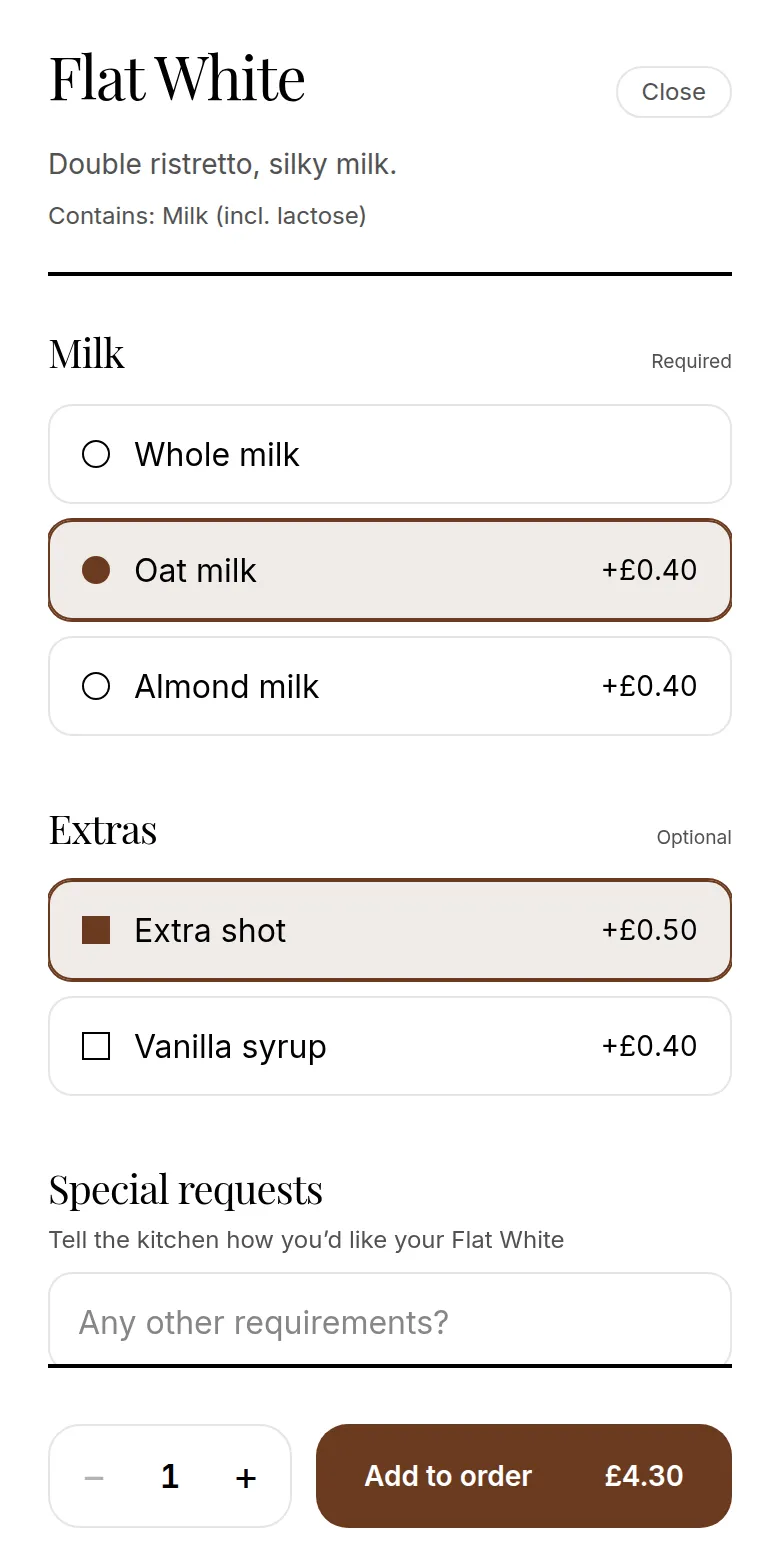
Choosing a dish's options on the guest menu
  • At the hatch

    A till on any tablet or phone

  • In the queue

    QR codes for tables and counter

  • Price

    From £9.99 a month, cancel any time

01

A till for the hatch or the bar

On the POS plan (£39 a month), the till runs in the browser on an iPad, Android tablet, phone or laptop. Tap the items and options, take cash with quick amounts and change due, or card on a Stripe Terminal reader (UK) or your own card machine, and the sale goes straight to the kitchen screen.

Open the drawer with a float at the start of the day and count it at the end to see if you are over or short. Takings split into cash, card and online, so a weekend's trading is easy to reconcile.

  • ✓Cash with change due, card reader or your own card machine
  • ✓Refunds with a reason, and cash-up against your float
  • ✓Helpers get their own sign-in and role
  • See the till →
  • See cash-up and reports →
02

QR ordering keeps the queue moving

At an event the queue is what limits how much you can sell. With a QR code on each table, guests order from where they are sitting and your team brings it over, so the hatch is free for people who only want to grab something.

For takeaway and standing customers, add a counter code at the hatch or bar. Guests scan it, order under their name and pay, and their phone shows when the order is ready to collect. Counter ordering is switched on in Settings.

  • ✓One QR code for every table, bench, booth or pitch
  • ✓A counter code for guests who order standing up
  • ✓Sold-out items hidden from guests straight away
03

Set up before the day, switch off after the season

Tell Café QR how many tables you have and each gets its own QR code to print on any printer. Build your menu by typing it in, starting from a template, or photographing your printed menu. If you send us a photo we will set up the items for you free and send a link to check.

Every plan is monthly with no contract, so you can start before your first event and cancel when the season ends. QR ordering alone is £9.99 a month; the till is on the POS plan. There is a one-month free trial, which can cover a one-off weekend.

  • ✓Print the codes yourself, four to an A4 sheet
  • ✓Change a price or add a special during the event
  • ✓No setup fee
  • Start the free trial →
04

The kitchen screen on the day

Till sales and QR orders appear on one live kitchen screen on any phone, tablet or laptop, sorted into new, preparing and ready, and the screen chimes when a new one arrives. Prefer paper? Connect a supported Star CloudPRNT or Epson network printer and a ticket prints for each order.

Give helpers their own staff sign-in. Guests at a table code can tap “Call staff” or “Request bill”, and the request shows with the table number. You can pause ordering with one switch if the kitchen needs a break, and set the hours guests can order.

  • ✓Live order screen with a chime for new orders
  • ✓Kitchen tickets on supported Star and Epson printers
  • ✓Promo codes for an event offer, switched on or off in Settings
  • ✓Daily takings as a CSV, and your busiest half hour in Reports
  • See the kitchen display system →
  • See how payment and receipts work →
05

Payments go straight to you

Guests pay with Apple Pay, Google Pay or card through your own Stripe account. You are the merchant, there is a 0% Café QR platform fee, and Stripe pays out to your bank on your account's schedule. Card payments are processed by Stripe, which is certified to PCI DSS Service Provider Level 1.

Until you connect Stripe, guests can still order and pay at the till or counter.

06

What to plan for

Guests need a mobile signal or your event Wi-Fi to order by QR, and card payments and the kitchen screen need a connection too. If the signal drops, the till keeps taking cash (and your own payment types) and uploads those sales when it is back, but they do not reach the kitchen screen, so call them through. Check the signal on the pitch before the day.

Each Café QR account has one menu. If several stalls sell different things and each needs its own order screen, set each one up as its own venue. Café QR does not sell tickets or check people in. It does not check ages either, so your staff apply your Challenge 21 or Challenge 25 policy when serving alcohol, and you stay responsible for your licensing conditions.

Questions

Straight answers, before you start.

Visit the help centre →Ask us on WhatsApp
Can I take cash and card at the hatch?+

Yes, on the POS plan. The till takes cash with the change worked out, card on a Stripe Terminal reader (UK), or card on your own machine recorded on the till. Guests can also pay on their own phone through QR ordering.

Does the till work on an iPad or a phone?+

Yes. It runs in the browser on an iPad, Android tablet, phone or laptop. If the signal drops it keeps taking cash and uploads those sales later, but card payments need a connection, so check the signal on site first.

Do guests need to download an app?+

No. Guests scan the QR code with their phone camera and order in their browser. Nothing to install and no account to create.

Can I use it for a one-off weekend event?+

Yes. The first month is free with no card and includes the full POS, so an event inside that window can run without paying. After that plans are monthly from £9.99 and you can cancel any time.

What if the signal is poor?+

Guests ordering by QR and your kitchen screen need a connection, though the till keeps taking cash through a dropout. Check the signal where your tables are before the event, and give guests the venue Wi-Fi if mobile signal is weak.

Can several stalls share one menu?+

Each venue has one menu and one order screen. Stalls that sell different things and need separate screens should each be set up as their own venue.

Can guests pay with Apple Pay or Google Pay?+

Yes, once you connect your Stripe account. Guests pay with Apple Pay, Google Pay or card, and the money goes to your own Stripe account. Until then they order and pay at the counter.

Keep exploring

Related pages. Owners read these next.

  • Food truck POS→Food truck POS for street food and market stalls: a till on your phone or tablet with cash and card, a kitchen screen and QR ordering for the queue. From £9.99.
  • QR table ordering→Let guests scan a QR code, order food and pay at the table. No app download. Orders go to your kitchen screen. From £9.99/month, first month free.
  • Pricing→POS system pricing per venue a month: full POS £39, multi-site from £59, or ordering only from £9.99 (£14.99 with delivery). 0% commission, first month free.

One-month free trial

Run your venue on Café QR.

From £9.99 per venue, per month after the free month, which needs no card. No setup fee, and 0% platform fee. Rather someone showed you round? Book a free 15-minute walkthrough here. It’s an enquiry only: no card, no subscription and no trial started.

WhatsApp us

An enquiry only. No card or subscription required

We use these details to respond to your enquiry. Read our privacy notice.

Five systems. One till.

The POS for independent cafés, restaurants, bars and pubs.

Start free trial →WhatsApp us
Café QR

contact@cafeqr.appWhatsApp +44 7440 189478Reviews on G2

Product+
  • All features
  • Integrations
  • EPOS till system
  • Kitchen display system
  • Self-order kiosk
  • Floor plan and tabs
  • Table bookings
  • Stock and recipes
  • Cash-up and reports
  • Food safety and HACCP
  • EPOS system
  • Cheap EPOS system
  • Card machines for small business

Ordering

  • QR table ordering
  • Order and pay at table
  • Online ordering
  • Delivery app orders
  • CRM and loyalty
  • Profit per dish
  • QR code menu
Solutions+
  • Café POS and till
  • Restaurant POS and management
  • Pub and bar POS
  • Takeaway POS
  • Food truck POS
  • Event POS
Compare+
  • Compare UK POS systems
  • Square POS alternative
  • Lightspeed alternative
  • Epos Now alternative
  • SumUp POS alternative
  • Toast POS alternative

QR ordering

  • SumUp Order & Pay alternative
  • Square QR ordering alternative
  • Sunday alternative
  • Storekit alternative
  • Yoello alternative
  • Scantorder alternative
  • Flipdish alternative
Company+
  • About
  • Contact
  • Careers
  • Founding venue offer
  • Refer a venue
  • Partners
  • Staff sign in

Resources

  • Pricing
  • Live demo
  • How it works
  • Help centre
  • Blog
  • QR poster maker
  • Where to put your QR codes
  • Data and security

POS by location

LiverpoolManchesterChesterLondonLeedsCardiffEdinburghUnited StatesCanadaAustraliaNew ZealandIrelandPakistan

© 2026 Café QR. All rights reserved.

DATA VALUT AI LTD, registered in England & Wales · Company No. 16841685

Based in the United Kingdom.

PrivacyTerms

Start free trial →Live demo