
From table scan to repeat visit
How Café QR works
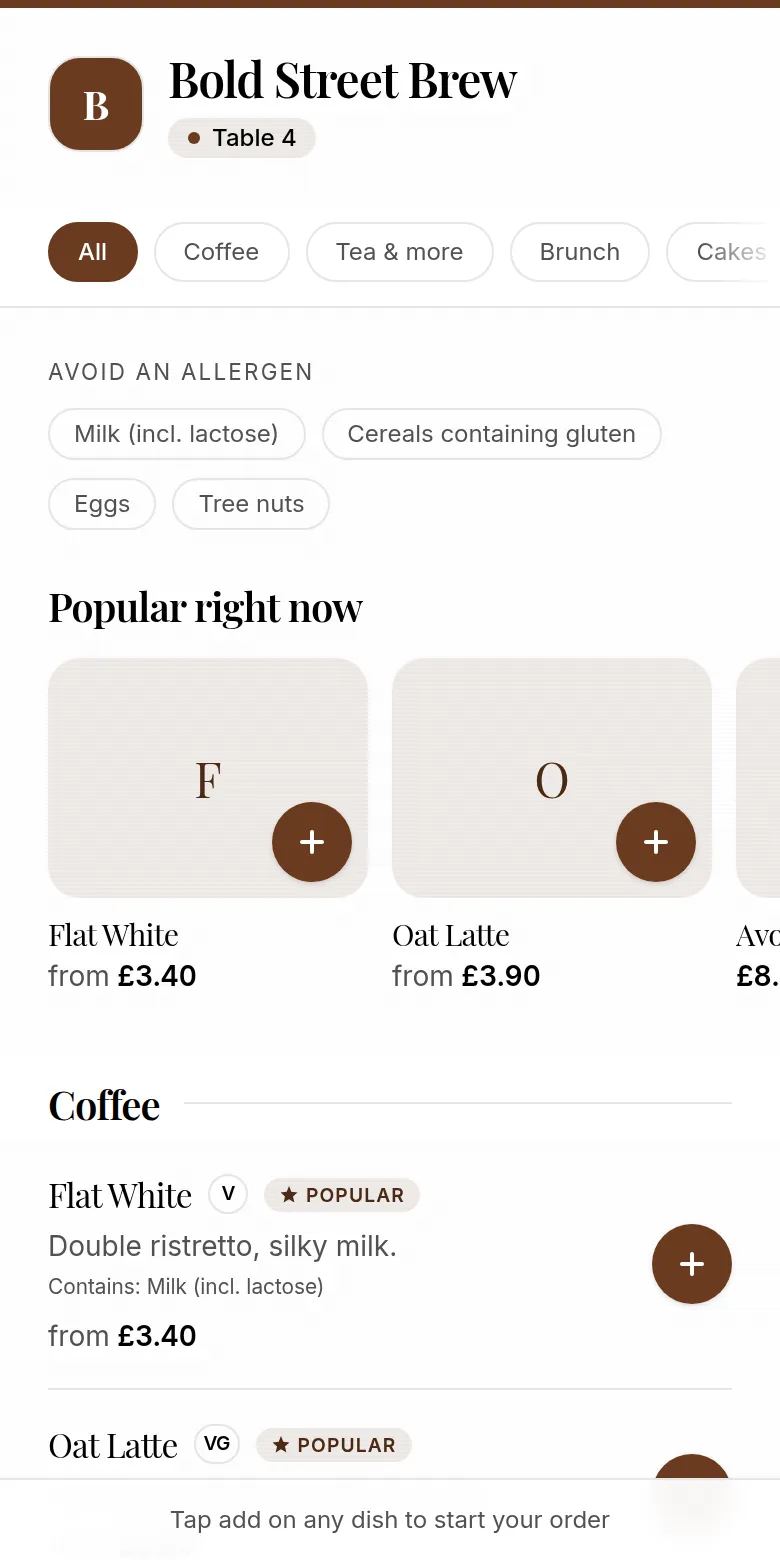
Café QR connects the guest's table, your menu, Stripe payment and the staff order screen in one browser-based flow.
1
Guest scans
2
Orders and pays
3
Staff prepares
Product demonstration
See the guest ordering flow.
Video transcript
- 0:00-0:02. Café QR is introduced as a QR code that does more than show a menu.
- 0:02-0:07. A guest opens a branded table menu in their phone browser, with no app download.
- 0:07-0:11. The guest changes item quantities while the running order total updates.
- 0:11-0:14. The order is ready to place, with the option to pay online or at the till.
01
Set up the café
Add the café's menu, prices and choices such as sizes, milk and extras. Upload the café logo, choose an accent colour and create a QR code for each table.
Connect the café's own Stripe account so it can accept payments as the merchant.
02
Guest scans, orders and pays
The table QR opens the menu in the guest's phone browser. They choose items, check their order and pay with Apple Pay, Google Pay or card where available through Stripe.
There is no Café QR app for the guest to install. The table number is carried with the order.
03
Staff sees the paid order
The paid order appears on the live barista screen with its items, choices and table. Staff move it through new, preparing and ready states as they work.
After the order, the guest can choose to join the café's loyalty list. That choice is separate from payment and is not required to place an order.
Explore Café QR
Related pages
14-day free trial
Set up Café QR for your tables.
£29 per café, per month after the trial. No card required to start and 0% platform fee.
Start free trial →